Modern desktop computing empowers individuals to handle daily tasks, communicate with distant loved ones, manage personal finances, and explore endless educational resources. Understanding core hardware pieces and simple operating software allows you to navigate screens safely, organize electronic documents, troubleshoot minor glitches, and enjoy reliable everyday tools without feeling overwhelmed by technical jargon.
Essential Hardware and System Basics
Understanding the Central Processing Unit and Memory
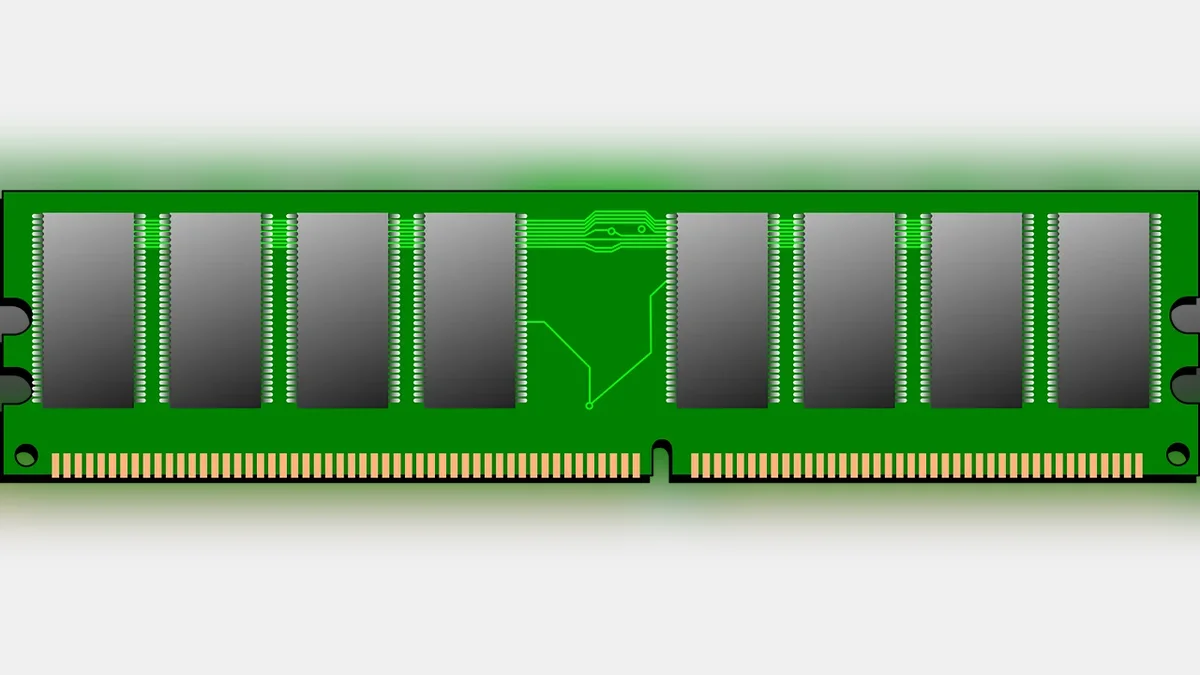
The central processing unit acts as the primary brain of your desktop system, executing software instructions and coordinating every action you perform on screen. Random access memory serves as a temporary workspace where active programs load so your machine can respond smoothly without delays. When you turn off the power, temporary memory clears completely, while permanent storage drives keep your personal files safe for future sessions.
Navigating Operating Systems and Desktop Screens
An operating system provides the visual graphical environment that connects physical hardware components with user friendly programs. The main desktop screen displays colorful shortcut icons, a taskbar for launching favorite utilities, and a start menu containing system settings. You interact with these elements using a handheld mouse or trackpad to click buttons and open windows effortlessly.

Connecting Peripheral Devices and Accessories
External peripherals expand what your computer can accomplish beyond basic internal calculations and visual display functions. Standard keyboards and mice let you type letters and select menu items with physical precision. Printers, external speakers, and backup hard drives plug into dedicated ports, allowing you to transform digital drafts into physical paper or store extra photo libraries safely.
Protecting Privacy and Maintaining Security
Digital security involves keeping your personal credentials protected against malicious software and online scams through regular system updates. Reliable antivirus tools scan background files continuously to block suspicious downloads before they cause permanent damage. Creating strong unique passwords and backing up important records onto external drives ensures your digital life remains resilient and private.

Practical Everyday Digital Habits
Developing smooth daily computing routines transforms a complex machine into a dependable assistant for scheduling appointments, reading digital news, and sharing family photographs.
| Component Name | Primary Function | Practical Reader Check |
|---|---|---|
| Solid State Drive | Stores permanent documents and operating files | Verify remaining free storage space monthly |
| Optical Keyboard | Inputs text commands and shortcuts manually | Test physical key response and clean surface dust |
| Audio Speakers | Produces sound for calls and media files | Check system volume slider before video playback |
| Security Scanner | Defends against online threats and malware | Confirm automatic database updates are enabled |
Simple Steps for Confident Desktop Navigation
- Inspect the physical power cord connections before turning on your desktop screen each morning.
- Review open background windows and close unused applications to keep system performance responsive.
- Check your internet connection status icon located near the bottom corner of your display.
- Save important text files into labeled folders before shutting down the operating system.
Frequently Asked Questions
Do I need an expensive computer for daily tasks?
Standard web browsing, email correspondence, and document writing require modest hardware specifications rather than expensive gaming or engineering systems.
How often should I restart my desktop computer?
Restarting your machine once every few days clears temporary memory clutter and applies vital background security patches.

What is the safest way to store personal files?
Saving documents in structured desktop folders backed up to an external drive protects your work against hardware failures.
Conclusion
Embracing desktop technology opens convenient pathways for daily communication, organization, and lifelong learning. Take your time exploring basic menu screens today to build lasting confidence with every click.